Setting up your Basic information
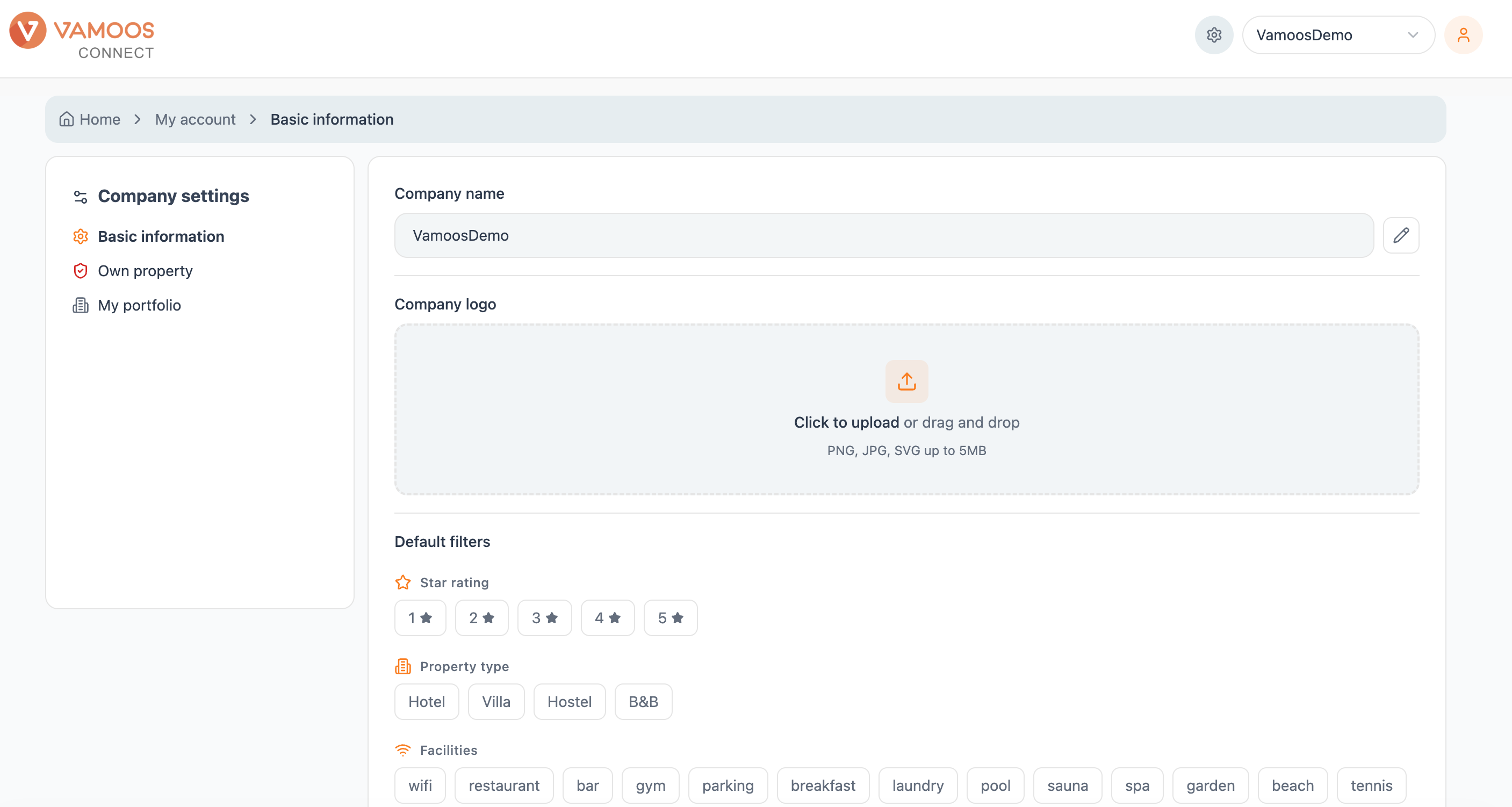
Your Basic information page is where you set the defaults that shape every hotel profile you create, including your company name and brand logo. Set it up once, and Connect applies it across your work. Find it under Company settings → Basic information.
Company name
Your company name appears on your branded hotel profiles. Click the pencil icon to edit it.
Company logo
Add the logo that sits on your branded profiles. Click Change logo to upload a new one.
Default filters
Set the filters Connect applies to your searches by default, so results come back pre-tuned to the properties you actually sell:
Star rating - choose from 1 to 5 stars.
Property type - Hotel, Villa, Hostel or B&B.
Facilities - pick the amenities that matter most, from wifi and pool to spa, concierge and pet-friendly.
AI text generation
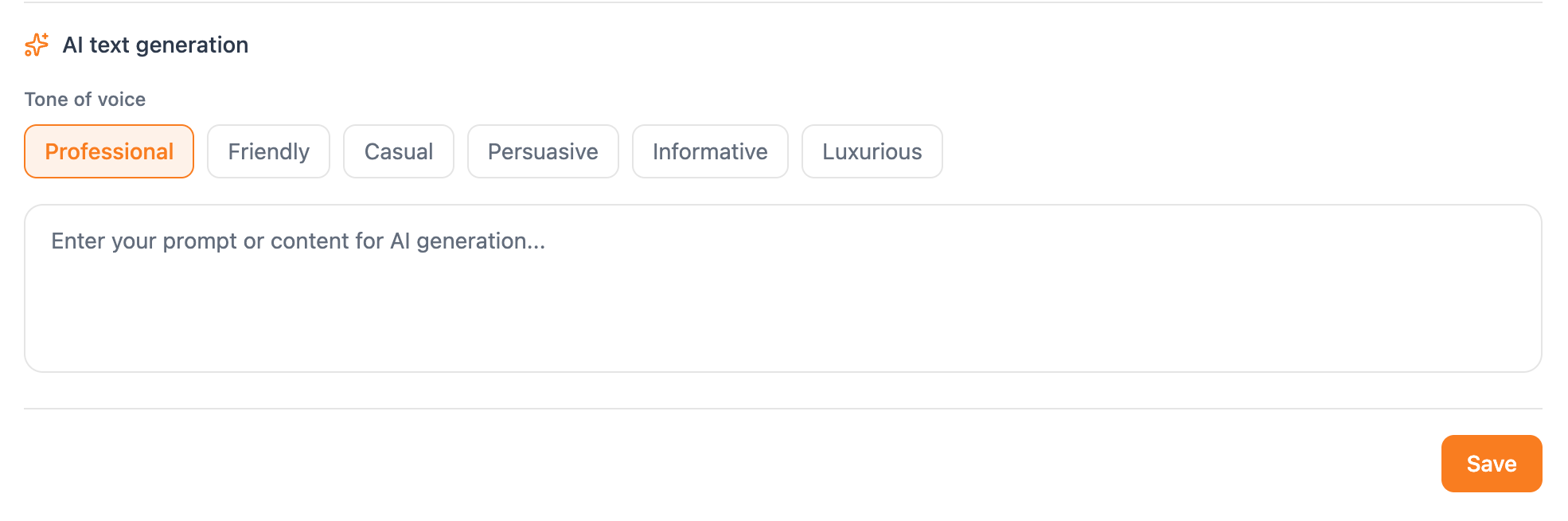
Set a tone of voice prompt that will give you the option to rewrite any AI-generated hotel descriptions. If you're not confident working with detailed prompts, choose from our existing themes: Professional, Friendly, Casual, Persuasive, Informative or Luxurious.
The prompt box allows you to enter free text instructions - we encourage you to experiment in the set up phase to figure out the prompts that work for your organisation.
Save your changes
Hit Save when you're done. That's it - your defaults are set.